
مولد كلمة المرور (AR)

• 100% Free • Cloud / Server

مولد كلمة المرور يساعدك على الحصول على النتائج بسرعة في المتصفح — مجانًا وبدون تسجيل.

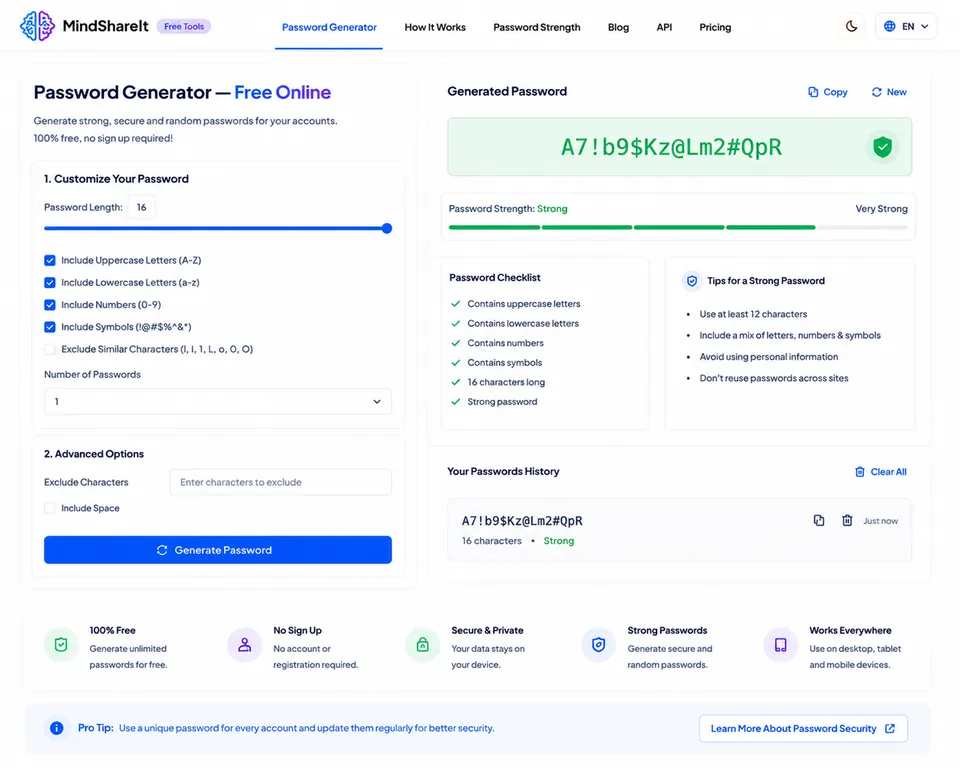
مولد كلمة المرور - مساحة العمل عبر الإنترنت
100% Free
No Sign Up
Secure & Private
Strong Passwords
Works Everywhere

1 Customize Your Password

2 Advanced Options

Generated Password

Click Generate
Password strength: — —

Password Checklist

  • At least 12 characters
  • Contains uppercase letters
  • Contains lowercase letters
  • Contains numbers
  • Contains symbols
  • Strong password

Tips for a Strong Password

  • Use at least 12–16 characters
  • Mix letters, numbers, and symbols
  • Avoid personal information
  • Use a unique password per site
  • Store secrets in a password manager

Your Password History

Generated passwords will appear here (stored only on this device).

Pro tip: Never reuse passwords across important accounts. Generate a unique strong password for each site and save it in a password manager.
100% FreeUnlimited passwords, no limits.
No Sign UpGenerate instantly in your browser.
Secure & PrivateUses crypto randomness locally.
Strong PasswordsCustom length and character sets.
Works EverywhereDesktop, tablet, and mobile.
لقطة شاشة لأداة مولد كلمة المرور المجانية الموجودة على ToolSphare

طريقة استخدام مولد كلمة المرور

  1. افتح الأداة وأضف المدخلات أو الملف.
  2. اضبط الخيارات إن لزم ثم شغّل الأداة.
  3. انسخ النتيجة أو نزّلها.

ميزات وإمكانيات مولد كلمة المرور

  • معالجة خاصة في المتصفح قدر الإمكان
  • استخدام مجاني بدون حساب
  • نتائج سريعة للنسخ أو التنزيل
  • يعمل على سطح المكتب والجوال

ماذا يفعل مولد كلمة المرور

مولد كلمة المرور مخصص لمهام password generator السريعة دون تثبيت برامج.

الأسئلة الشائعة حول مولد كلمة المرور

هل هذه الأداة مجانية؟

نعم. أداة ToolSphare هذه مجانية ولا تحتاج حسابًا.

هل أحتاج إلى تسجيل؟

لا. افتح الأداة وابدأ فورًا.

هل تُرفع ملفاتي؟

كثير من الأدوات تعمل في المتصفح وتبقى الملفات على جهازك.